
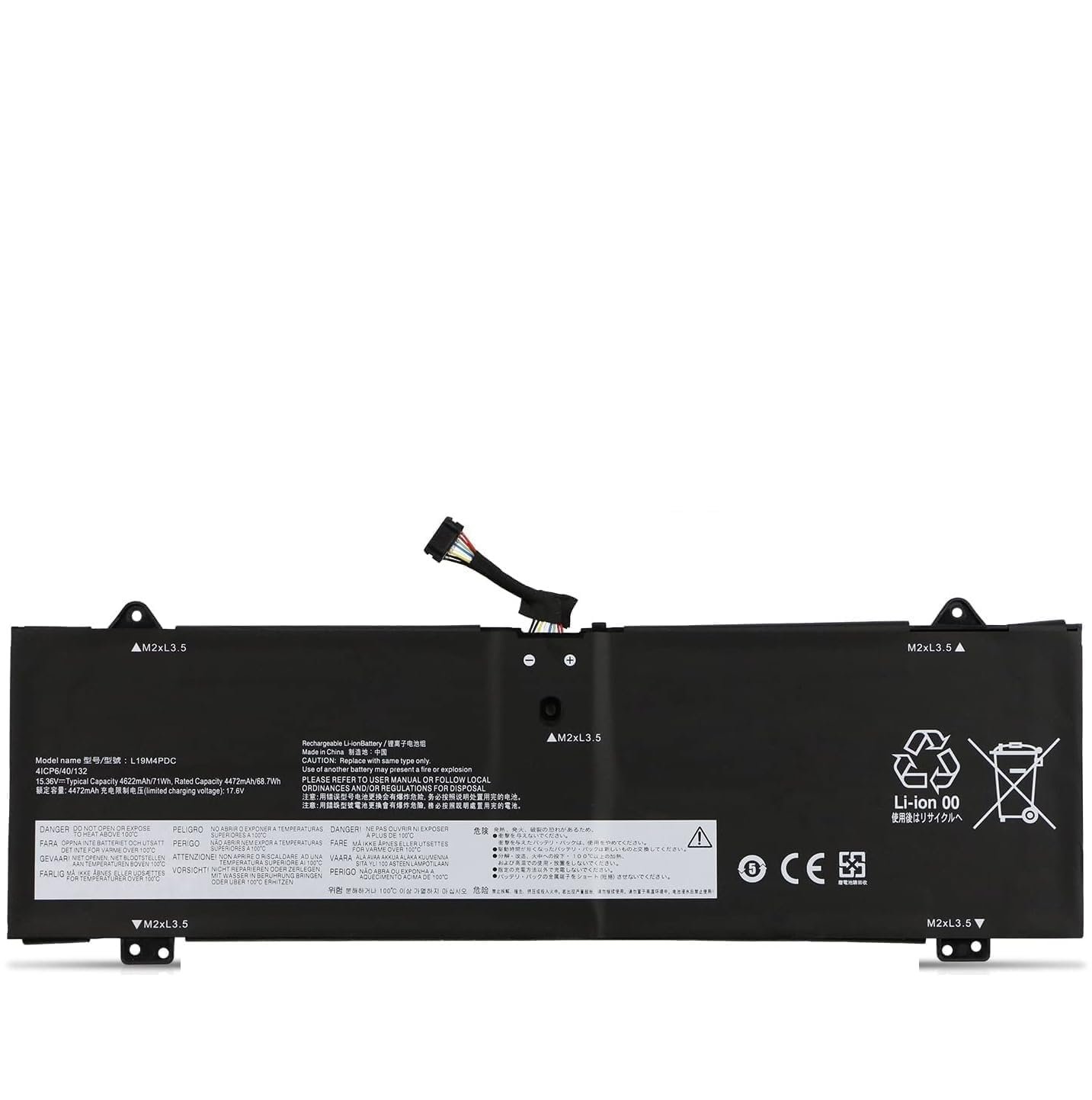
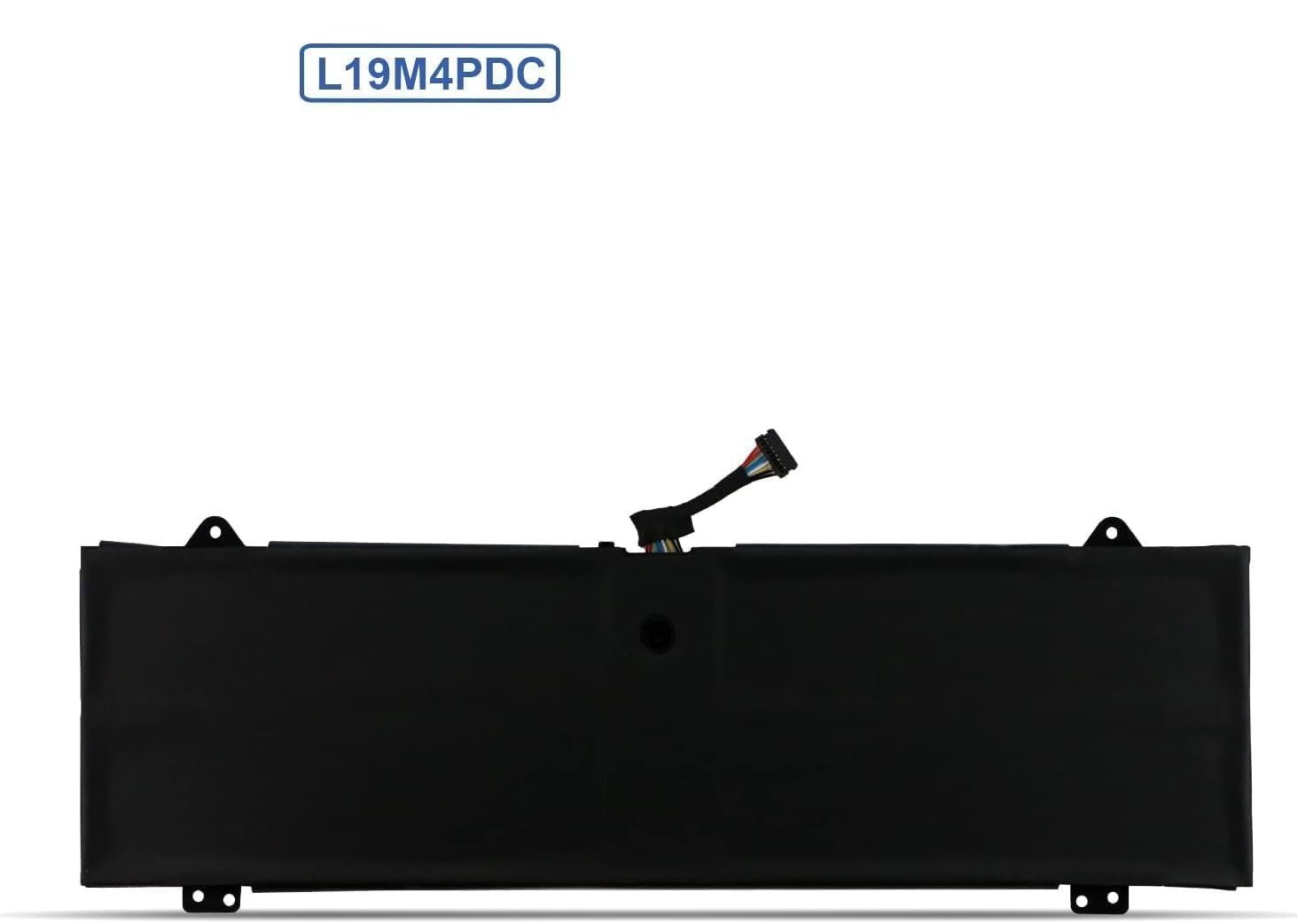
Wefly L19C4PDC L19M4PDC L19L4PDC Laptop Battery Compatible for Lenovo Yoga 7i 2020 2021 2022 7-14ITL5 7-15ITL5 7-14ACN6 2-in-1 Series 5B10Z26482 5B10Z26485 5B10Z26479 Notebook Battery
Original price was: ₹8,999.00.₹6,449.00Current price is: ₹6,449.00.
Price: ₹8,999 - ₹6,449.00
(as of Oct 30, 2025 23:42:58 UTC – Details)
Product Description
Welcom to WeFly Laptop Battery

High Performance Laptop Batteries
Our laptops have become essential to how we do business, communicate with friends, shop online and many more. That’s why you need to treat your machine with WeFly high performance laptop batteries – batteries you can count on, batteries that can keep up with you and your schedule. Our laptop batteries are constructed to meet or exceed OEM specifications for safety and efficiency, yet we still managed to create an economical alternative to expensive OEM batteries. Packed with a ton of safety features – When it comes to laptop batteries – WeFly is your best bet!

WeFly laptop battery instruction
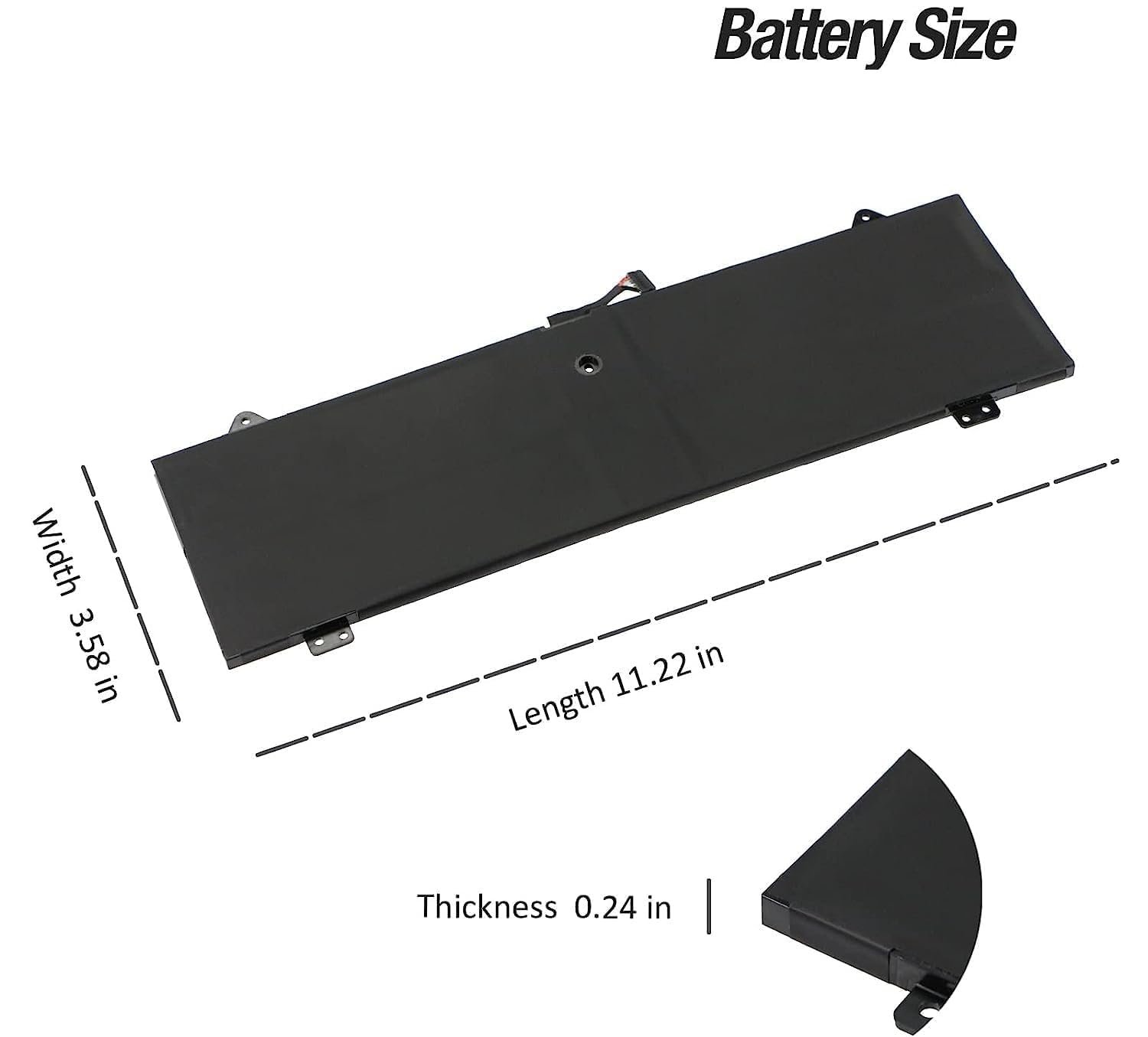
1 First check if the battery is the same size as your original battery after receiving it. When installing the battery, pay attention to whether the battery cable is fixed. If the battery cable is not installed correctly, the battery may not be charged.
2. If you use the battery for the first time after installing the battery, please do not charge the battery immediately, first use the battery to 10-20%, and then charge the battery, and cycle charging 5-6 times to activate the maximum use of the battery space.
3. We recommend that you search for battery removal tutorials on the Internet in advance, or seek help from a professional technician. We won’t responsible for any damage due to improper operation.

L19C4PDC L19M4PDC L19L4PDC Laptop Battery Compatible with Lenovo Yoga 7i 2020 2021 2022 7-14ITL5 7-15ITL5 7-14ACN6 2-in-1 Series 5B10Z26482 5B10Z26485 5B10Z26479 Notebook Battery 4675mAh
Compatible with Laptop models
Compatible Part Number L19C4PDC 5B10Z26482 SB10Z26481 L19L4PDC 5B10Z26485 SB10Z26483 L19M4PDC 5B10Z26479 SB10Z26486 Compatible Model Lenovo Ideapad Yoga 7-14ITL5, Lenovo Ideapad Yoga 7 14ITL5(82BH), Lenovo Ideapad Yoga 7 14ITL5(82BH004XGE), Lenovo Ideapad Yoga 7 14ITL5(82BH004WGE) Series Compatible Model Lenovo Ideapad Yoga 7-15ITL5, Lenovo Ideapad Yoga 7-15ITL5(82BJ), Lenovo Ideapad Yoga 7-15ITL5(82BJ0030GE), Lenovo Ideapad Yoga 7-15ITL5(82BJ0031GE), Lenovo Ideapad Yoga 7-15ITL5(82BJ005HGE), Lenovo Ideapad Yoga 7-15ITL5(82BJ006NGE) Series Compatible Model Lenovo Ideapad Yoga 7-14ACN6-82N7 Series Notebook; Compatible Model Lenovo Ideapad Yoga 7-14ARB7 Series Notebook; Compatible Model Lenovo Yoga 7i 2020 2021 2022 Series Notebook

Grade A++ Cells
Charges Quickly
Longer Lasting Time Steady Output
Lower Power Consumption
More than 500 Times Recycle
Durable Usage and Safety

Install A New Battery
1, You need to turn off your laptop and disconnect the power.
2, Disconnect the connection between the old battery and the motherboard to avoid unnecessary damage caused by disassembling the battery. Then unscrew the old battery screws one by one and carefully save each screw.
3, Remove the old battery, carefully install the new battery on the battery case, screw in the screw, and connect the wiring of the new battery.
4, If you don’t understand the above steps, you can search for the video about laptop battery

How to use battery for the first time?
1. Discharge the new battery use to 5%(not to 0%) and then charge to 95%, and cycle 3-7 times.
2. Do not disassemble, crush or puncture. Do not dispose of in fire or water.
3. If you remove the battery for a long time, charge more than 80% at least one time within one month.
4. Don’t connect the adapter for a long time while using the battery. It may damage the battery.
5. When using the battery, should be taken to prevent exposure and moisture

How to maximize battery life?
1. Change your laptop power plan settings, choose the power saver plan. Then Change advanced power settings, scroll down to find Processor power management. Click the On-battery option and reduce the processor state to 20%.
2. Always keep your laptop neat and clean. The dust easily enters the hardware through the vents which are meant to release the heat generated from various computer components.
Close Wi-Fi, Bluetooth, and other settings. This can help your computer save precious battery

ENHANCED IC
Built in smart control chip conveniently offers Quicker charging, lower power consumption and longer discharge time.

Built To Perform
We’ve incorporated Grade A battery cells to ensure longer battery life and durability

How to wake up the battery?
A. Disconnect all external devices from your laptop.
B. Remove the battery.
C. Press the power switch to shut down
D. Plug in the battery and restart the computer.
E. Connect the adapter to see if the battery is working properly
Top Quality Battery Cells
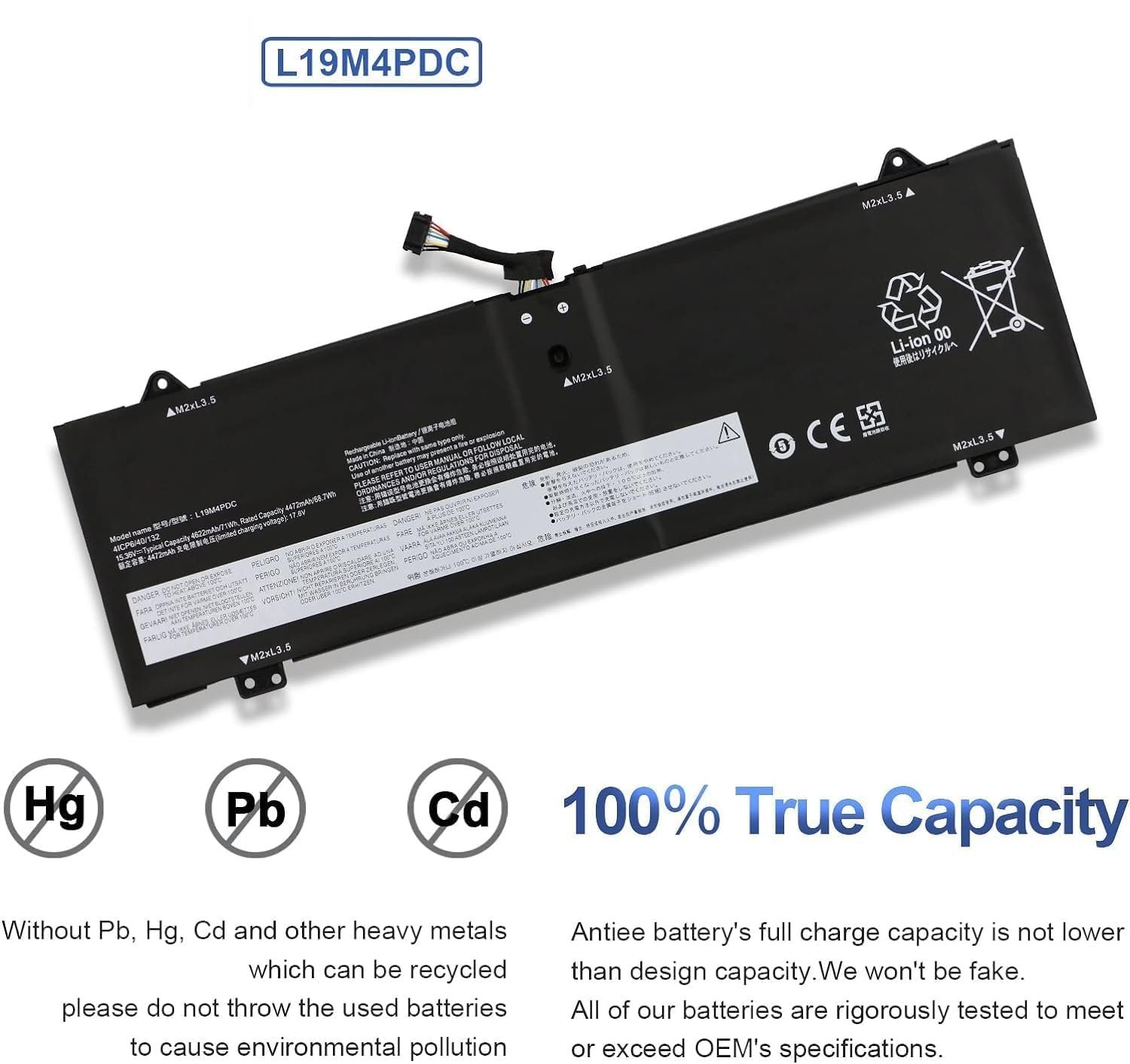
As laptop battery users ourselves, we wanted to deliver a battery that doesn’t only only last long, but also safe for use. We’ve incorporated Grade A WeFly battery cells to ensure longer battery life, durability, and lower power consumption. All of our batteries offer 1000+ recharge cycles over life of battery
Install A New Battery:
1. You need to turn off your laptop and disconnect the power.
2. Remove the old battery, carefully install the new battery on the battery case, and connect the wiring of the new battery.
3. If you don’t understand the above steps, you can search for the video about laptop battery installation on YouTube. Maybe it will help you.
Laptop Maintenance Tips:
1. New battery: For use a new battery, you’d better try a few cycles of discharging to 5%. then charging up to 95%. So that it can be activated completely
2. Overuse: Do not always run out of a battery to 0%, this would make it damaged or usage life shortened
3. Charging sequence: when charging, first install the battery, then turn on the power, when fully charged, first cut off the power, then pull the power plug.
4. Long-term storage:Please store the unused battery fully charged.(Charge it once a month) Do not store at low power to prevent reduce the lifespan of a battery
5. Charger: Do not replace the laptop adapter casually. If the original adapter cannot be applied due to malfunction or damage, please replace the models, so as not to reduce the service life of the battery due to incompatibility.
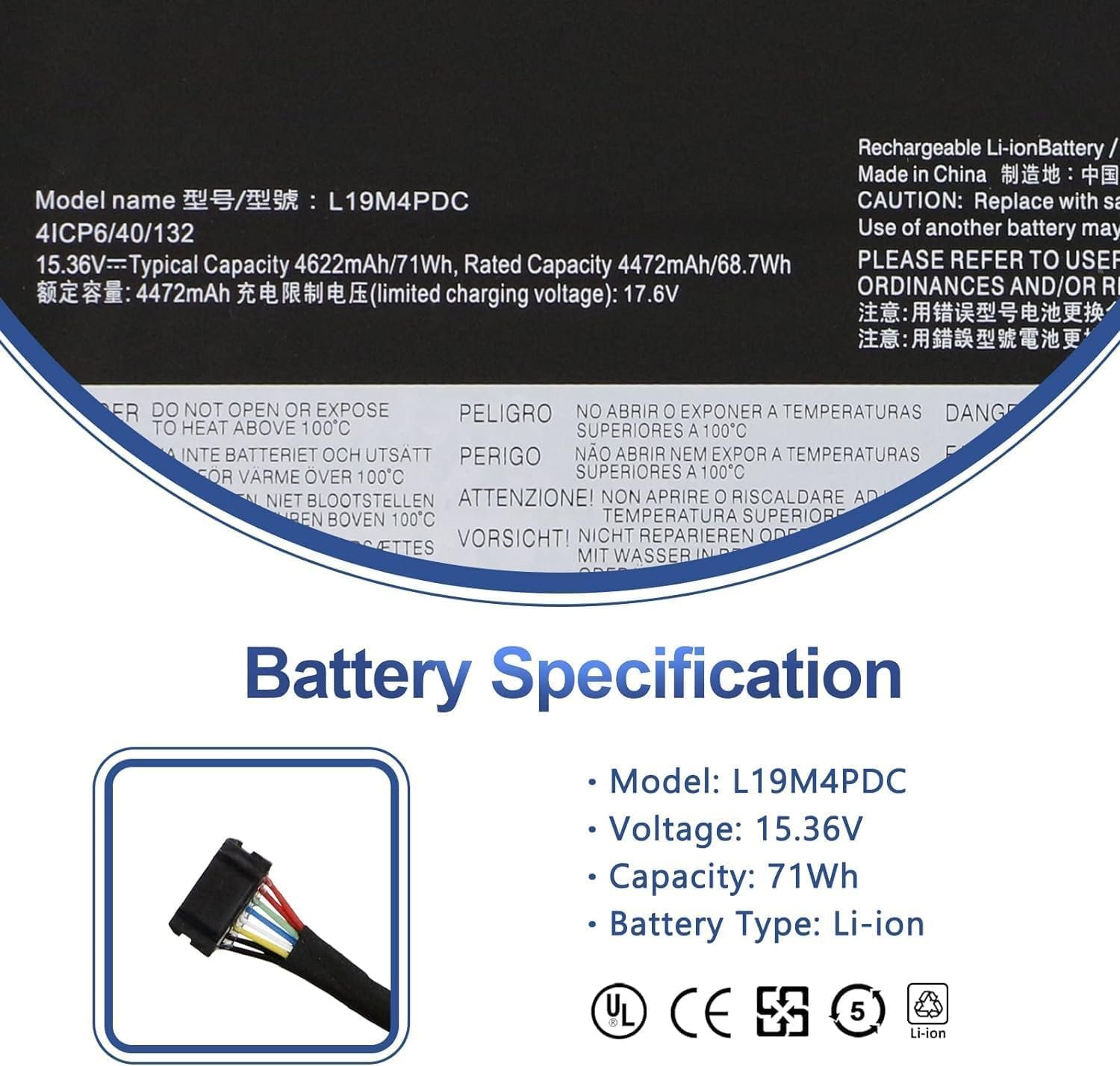
【Specifications】Battery Type: Li-ion; Voltage: 15.36V; Capacity: 71Wh/ 4-cell ; Battery life: Up to 500 recharge cycles over the life of the battery.
Compatible part number -: L19C4PDC 5B10Z26482 L19L4PDC 5B10Z26485 L19M4PDC 5B10Z26479
Compatible Models -: for Lenovo Ideapad Yoga 7-14ITL5 7-15ITL5 Series 7-14ITL5-82BH 82BH001JGE 82BH004MGE 82BH004NGE 7-15ITL5-82BJ 82BJ002SGE 82BJ0031GE 82BJ005HGE 82BJ006NGE 7-14ACN6-82N7 7i 2020 2021 2022 2-in-1 Series
6 Months replacement warranty
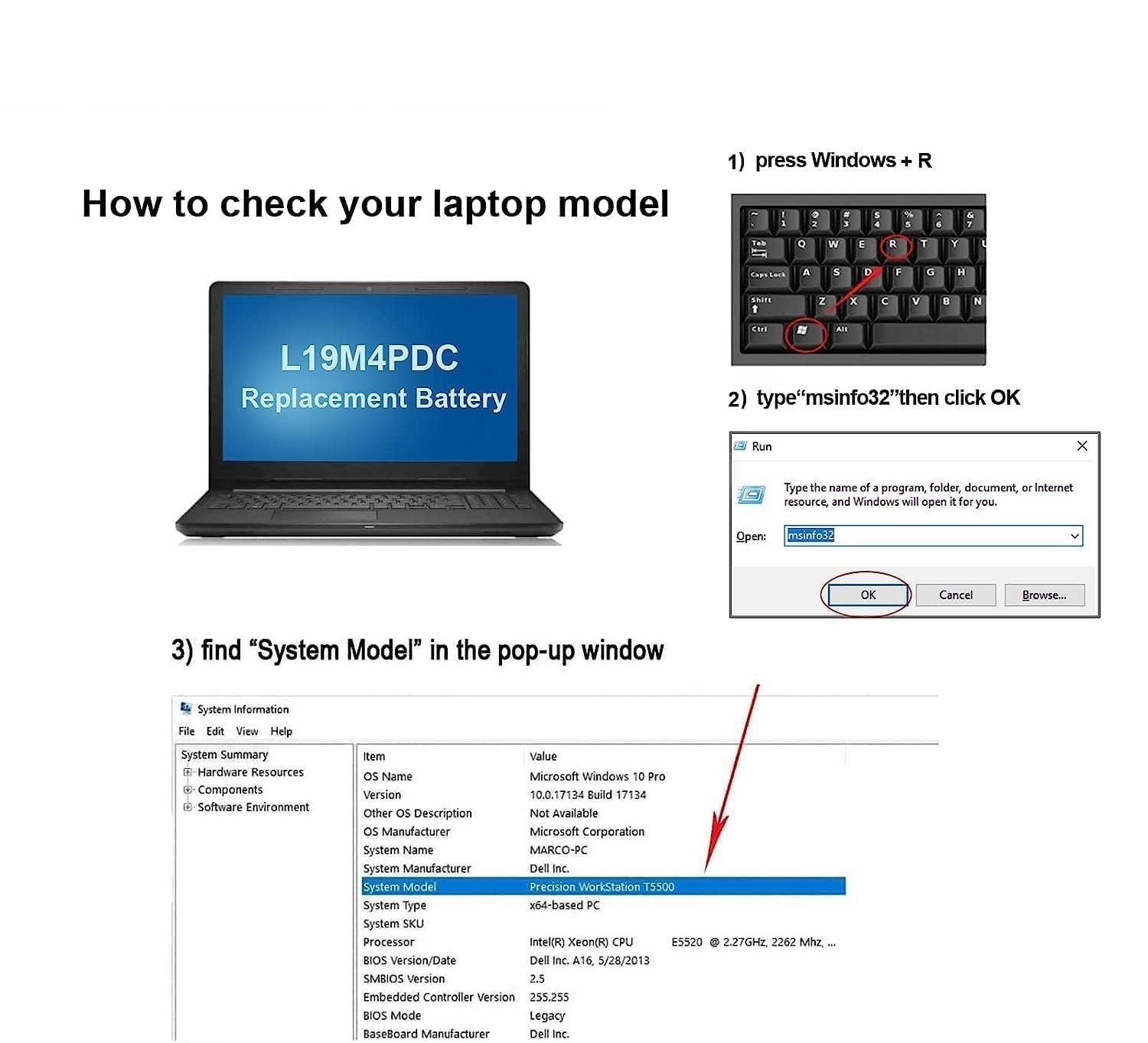
Note: Please check the Picture and Confirm it before order.
User Reviews
Be the first to review “Wefly L19C4PDC L19M4PDC L19L4PDC Laptop Battery Compatible for Lenovo Yoga 7i 2020 2021 2022 7-14ITL5 7-15ITL5 7-14ACN6 2-in-1 Series 5B10Z26482 5B10Z26485 5B10Z26479 Notebook Battery”
Related Products
HP 15, 13th Gen Intel Core i3-1315U (12GB DDR4, 512GB SSD) FHD, Anti-Glare, Micro-Edge, 15.6”/39.6cm, Win11, M365 Basic(1yr)* Office24, Silver, 1.59kg, fd0573TU, FHD Camera w/Shutter Laptop
- Camera: -
- Flight time (m): -
HP 15, AMD Ryzen 3 7320U (8GB LPDDR5, 512GB SSD) FHD, Anti-Glare, Micro-Edge, 15.6″/39.6cm, Win 11, Office 21, Silver, 1.59kg, fc0154AU, AMD Radeon Graphics, 1080p FHD Camera Laptop
- Camera: -
- Flight time (m): -
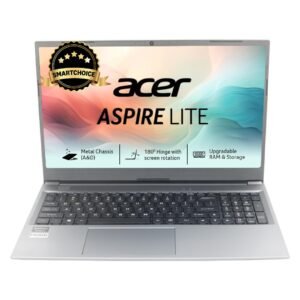
Acer SmartChoice Aspire Lite, AMD Ryzen 5-5625U Processor, 16 GB/512 GB, Full HD, 15.6″/39.62 cm, Windows 11 Home, Steel Gray, 1.59 kg, AL15-41, Metal Body, Thin and Light Laptop
- Camera: -
- Flight time (m): -


There are no reviews yet.